Deribit offers several ways for clients to retrieve account information, generate reports, and provide data to external parties.
The recommended first step is to provide read-only access. This allows external parties to view the necessary information directly without sharing sensitive login details.
Important
For details on how to create and use a read-only API key, please see Read-only API access. Historical trades and orders can also be retrieved via API; see Accessing historical trades and orders.
If read-only access is not suitable, you can instead retrieve reports yourself, send transaction logs directly to external recipients, or request that Deribit prepare and deliver the reports.
Retrieving the Information Yourself
Transaction log

-
Available at: https://www.deribit.com/account/BTC/transaction under "Download Logs" button
-
Download format: CSV
-
Scope:
-
Current (sub)account only
-
Current coin only
-
-
Time range: Uses the preselected range
Tip
For more information about Transaction Log, please refer to this article.
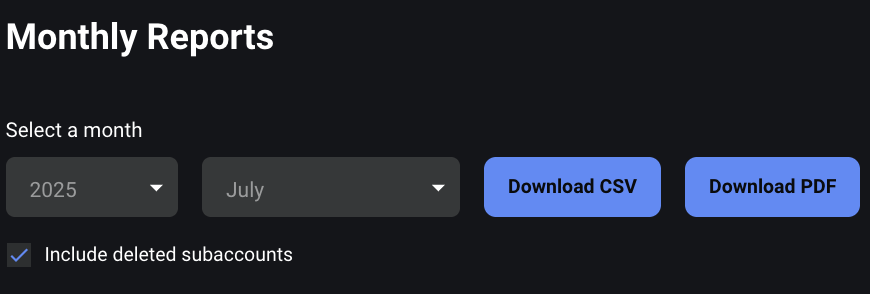
Monthly reports
-
Available at: https://www.deribit.com/account/BTC/statistics
-
Download format: CSV and PDF
-
Generated: end of each month at 00:00 UTC
-
Content: all assets and positions at the snapshot time
-
Scope:
-
From the main account → includes all underlying subaccounts
-
From a subaccount → includes only that subaccount’s data
-
Note
The December End of Month report serves as the official End of Year report.
Tip
For more information about Monthly Reports, please refer to this article.
Sending Data Directly to an External Party
Clients can send transaction logs directly to an external recipient from the Deribit platform.
-
Both the account owner (registered email) and any added CCs will receive the download link.
-
The link is valid for 7 days.
-
The email is sent from noreply@deribit.com.
-
All CCs are visible to all recipients.
How to send transaction logs:
-
Log in to the main account.
-
Go to Transaction Logs.
-
Click Export.
-
Select the year to export.
-
Add CC recipients (use the + Add button).
-
Carefully check for typos in email addresses.
-
Click Send CSV and confirm with a security key with scope account.
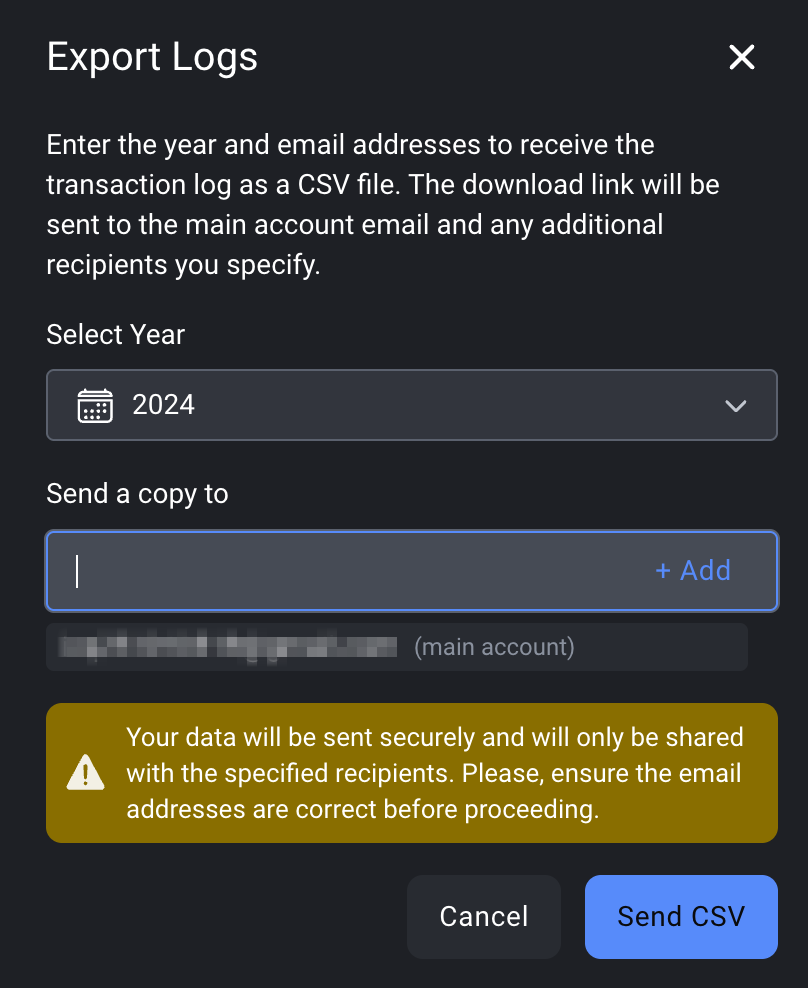
Result: A CSV file containing all assets and subaccounts for the selected year is sent to the specified recipients. Note that the Export logs button is available on the main account only.
Requesting Information from Deribit
If you prefer Deribit to provide the data directly, please send a request to support@deribit.com.
Requirements
-
Approval from the account owner, sent directly from the registered email of the main account (reply to our email is sufficient).
-
Exact account emails or user IDs for the accounts in scope.
Note
We cannot accept signed approvals, as we have no way to verify them.
What Deribit Provides
-
After approval, we will prepare and send the requested monthly reports.
-
Processing time: 5–7 business days (longer if the dataset is large or during busy financial reporting periods).
Summary
-
Use transaction logs (CSV) or monthly statements (PDF or CSV) for self-service access.
-
Use the export and CC option to send logs directly to an external party.
-
For Deribit-provided data, email support@deribit.com with approval from the account owner.